- November 3, 2016
- XR Team
VRCapture

Platforms



About VRCapture

VRCapture is a single player action game. It was developed by XR Team and was released on November 3, 2016. It received negative reviews from players.
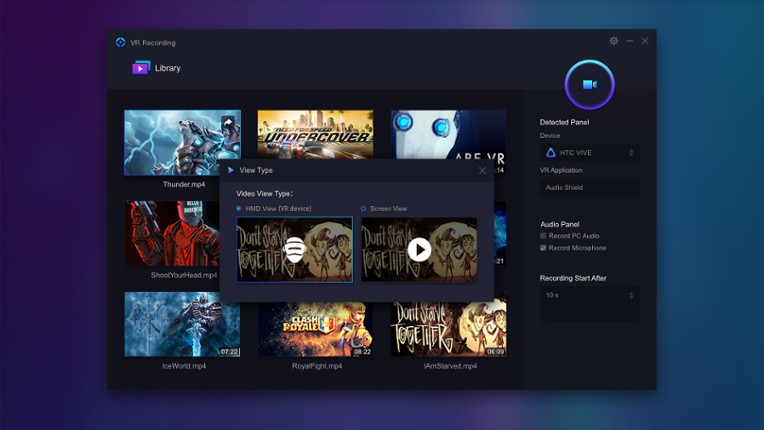
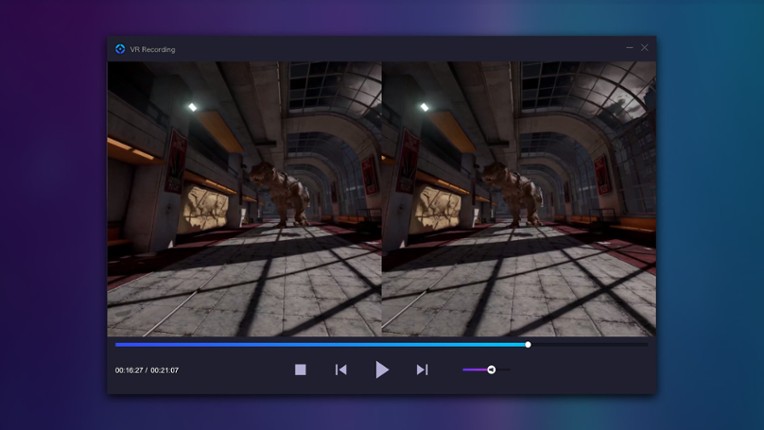
VRCapture is a totally free tool to create amazing VR videos. Perfect for professionals and beginners, who really want to pull out great quality videos from vitural world. When you are playing VR games or running VR applications, you can record the full scene with VRCapture and create immersive videos for everyone. The recorded video, which is immersive, can be played on your computer or through…

Games Like VRCapture
Looking for games like VRCapture? Here are top action recommendations, selected from player-similarity data — start with DeoVR - VR Video Streaming Platform, Action! - Gameplay Recording and Streaming or liteCam Game: 100 FPS Game Capture.












Reviews
- VRCapture allows for easy recording of VR gameplay with good audio quality and an intuitive interface.
- The ability to record from different camera angles enhances the dynamism of the videos created.
- It's a free tool that can be useful for capturing VR experiences, making it accessible for users.

- Many users experience significant issues such as black screens, crashes, and failure to record video despite audio being captured.
- The software is often buggy and does not support a wide range of VR games, leading to frustration among users.
- The presence of a watermark on recordings and limited customization options detracts from the overall user experience.
stability
7 mentions Positive Neutral NegativeThe stability of the program is heavily criticized, with users reporting frequent crashes, freezing issues, and an inability to save recordings. Many recommend using alternative software like OBS due to these persistent problems, which significantly hinder the recording experience. Overall, the application appears to be unreliable and frustrating for users attempting to capture gameplay footage.
“The version on Viveport is buggy and crashes, but it does record playthrough footage if you stick with it.”
“Every time I try to record, the recording just freezes after one second. The sound is still there, but the video is frozen.”
“I cannot record anything because the program freezes without any explanation as to why.”


Buy VRCapture


Videos

Frequently Asked Questions
VRCapture is a action game. Common tags for VRCapture include free to play.
VRCapture is available on PC, Virtual Reality and Windows.
VRCapture was released on November 3, 2016.
VRCapture was developed by XR Team.
VRCapture has received negative reviews from players. Most players disliked VRCapture for its stability.
VRCapture is a single player game.
Similar games include DeoVR - VR Video Streaming Platform, Action! - Gameplay Recording and Streaming, liteCam Game: 100 FPS Game Capture, D3DGear - Game Recording and Streaming Software, GizmoVR Video Player and others.