Desktop+ Game Cover

About

Desktop+ is a single player action game. It was developed by elvissteinjr and was released on January 1, 2021. It received positive reviews from players.

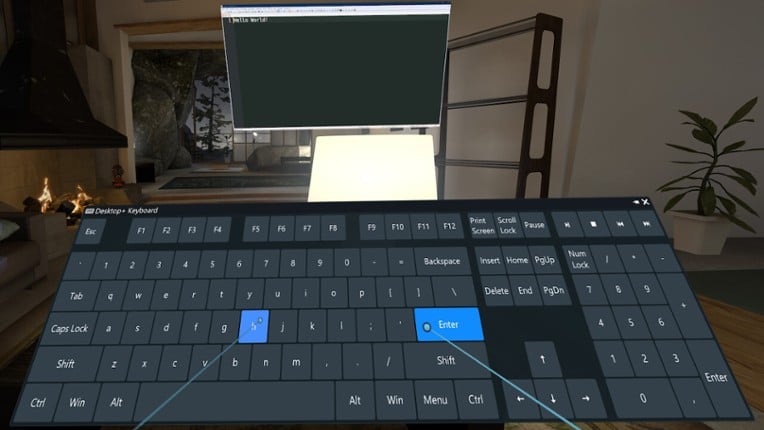
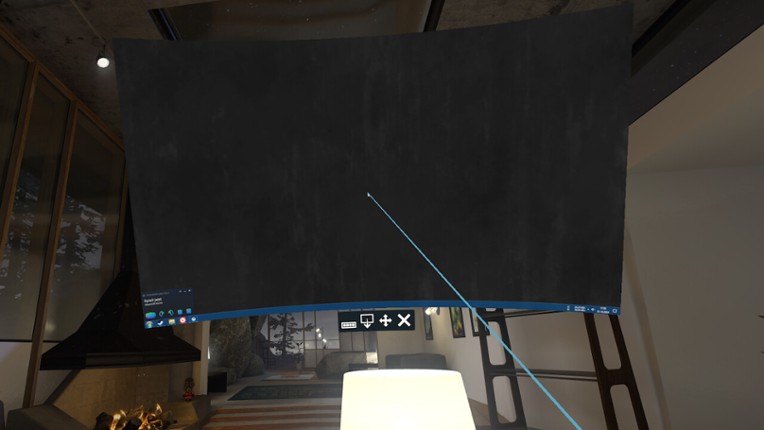
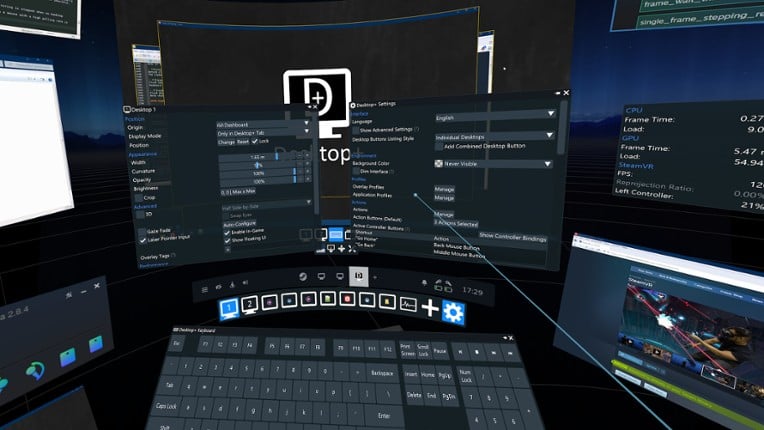
Desktop+ is a powerful, yet lightweight tool for SteamVR bringing your desktops and windows into the VR world. No matter if you just need a more reliable desktop view in your dashboard or a complex context-aware multi-overlay setup with custom shortcuts, Desktop+ offers a wide array of tweakable settings to make the overlays fit your needs.Features User interface with real-time adjustments access…


Genres & Tags
Play Modes
Skip User Reviews

86%
Audience ScoreBased on 558 reviews
optimization9 positive mentions
story3 negative mentions

  • Desktop+ is a powerful and versatile tool that allows seamless interaction with your desktop in VR, making it essential for multitasking while gaming.
  • The application is free and offers features that rival paid alternatives, such as customizable overlays and the ability to pin windows to your controllers.
  • Users appreciate the active development and regular updates, which enhance functionality and address user feedback.
  • The user interface can be confusing and unintuitive, requiring a learning curve that may deter less tech-savvy users.
  • Some users report performance issues, including lag and high resource usage, which can negatively impact gaming experiences.
  • Recent updates have introduced bugs and removed certain functionalities, leading to frustration among long-time users who preferred the previous version.
  • optimization
    29 mentions Positive Neutral Negative

    Overall, users report mixed experiences with optimization in the application, noting that while it offers impressive customization and smooth performance in many cases, some users experience significant performance drops, particularly when multitasking or using certain features. Many appreciate the low impact on performance and the ability to monitor stats, but others highlight issues like stuttering and a general overhead that can affect gameplay. Despite these concerns, the app is often praised for its functionality and integration with VR environments.

    • “Seamlessly brings your desktops into VR with incredible customization and smooth performance.”
    • “Window / desktop capture performance is great, and so are the possibilities for customization.”
    • “Been using the GitHub version for a long time before it came to Steam, the fact that this is free is not even a factor in my recommendation. I have tried a lot of the most popular virtual desktops like OVRDrop, OVR Toolkit, and Desktop Portal, but I can safely say I like this one the most overall, as it is the most optimized and smooth; once you learn how to make configs, you never need to reposition monitors again, you can just swap to the configs when necessary.”
    • “Every positive of this app is nothing compared to how hard it will tank your performance on PCVR.”
    • “But when I alt-tab to Elite, the performance of the window drops drastically.”
    • “I used OvrDrop for Elite Dangerous, but it has a massive performance hit on the CPU and only allows one uncurved overlay.”
  • story
    9 mentions Positive Neutral Negative

    The reviews do not provide a coherent narrative or story, focusing instead on technical issues and user experiences with VR applications. Users express frustration with functionality and compatibility, particularly regarding the Quest 2, rather than engaging with a narrative or storyline. Overall, the feedback highlights a lack of a compelling story element in the context of the applications discussed.

    • “I want to believe the app is good, but for some reason I can't use it at all. The desktop doesn't appear, and after rummaging through settings, nothing really worked. Maybe it's because I'm on a Quest 2, but it's not like I'm running standalone.”
    • “At one point, it didn't work on my Meta Quest 2 and only showed a black screen.”
    • “Doesn't work on the Quest 2 currently; it says launching/launched, but nothing happens.”
  • stability
    6 mentions Positive Neutral Negative

    The stability of the software is generally criticized, with users reporting frequent bugs, freezing issues, and difficulties in booting up. While some appreciate its configurability and free nature, many express frustration over its performance, particularly in relation to other applications like VRChat. Overall, the experience appears inconsistent, with some users finding it less buggy than alternatives after overcoming initial setup challenges.

    • “Very buggy.”
    • “Pretty damn buggy, I've been unable to boot up the software on many occasions and even when it does work, it only renders half the screen.”
    • “Idk if it's this application that does it or if it's something with my PC, but every time I have this one running and I play VRChat, VRChat completely freezes heavily when loading people or something like that.”
  • graphics
    5 mentions Positive Neutral Negative

    The graphics performance has received mixed reviews, with some users experiencing significant lag and resource consumption, leading to unplayable conditions and even requiring a complete graphics driver reinstall. However, others noted that the game is more stable and has fewer graphical issues compared to alternatives, despite occasional problems with the graphics capture feature.

    • “- fewer bugs than alternatives I've tried; more stable, fewer graphical issues, better input blocking, etc.”
    • “I found out it was using 50% of my graphics resources, resulting in lagging, making the game unplayable.”
    • “Takes up like 2-4 GB of RAM for no reason, and also forced me to reinstall my entire graphics driver due to making my desktop unresponsive altogether.”
    • “I don't know why, but they don't load any visuals; the game runs, but I just see a black screen.”
  • humor
    3 mentions Positive Neutral Negative

    Users appreciate the humor aspect of the game for its innovative features that enhance the gaming experience, such as allowing players to easily access and view content like YouTube while in VR. This functionality not only keeps players entertained during downtime but also facilitates interaction with their audience, making it a standout feature that enhances the overall enjoyment of the game. Overall, the humor is well-integrated and contributes significantly to the gaming experience.

    • “Funny number”
    • “I don't have to scramble to my keyboard to hit alt + f10 to record funny gaming moments.”
    • “Overall 20/10! I can't recommend this enough, and best of all, it's free.”
  • music
    3 mentions Positive Neutral Negative

    Users note that while Desktop+ lacks a built-in music player compared to alternatives like OVRToolkit and XSOOverlay, it excels in performance and offers a wider range of control options for overlays. Many players prefer to use external music platforms or YouTube while gaming, indicating a reliance on separate applications for music rather than integrated features.

    • “Comparing to ovrtoolkit, desktop+ lacks the music player and a lot of the fancy features but wins in performance and more direct ways of controlling overlays.”
    • “Comparing to xsoverlay, desktop+ still lacks the music player, has about the same amount of performance, but, once again, wins in terms of diversity of options.”
  • gameplay
    1 mentions Positive Neutral Negative

    Users highlight that Desktop+ significantly enhances their VR gameplay experience, making it an indispensable tool for immersive interactions.

    • “Desktop+ is an essential part of my VR gameplay now.”
Skip Game Offers

Buy Desktop+

22h Median play time
493h Average play time
8-1450h Spent by most gamers
*Based on 3 analyzed playthroughs
Skip Videos

Videos

Skip Games Like Desktop+

Games Like Desktop+

XSOverlay Image
OVRdrop Image
DisplayFusion Image
Borderless Gaming Image
Whirligig Media Player Image
Skip FAQs

Frequently Asked Questions

Desktop+ is a action game.

Desktop+ is available on PC and Windows.

On average players spend around 493 hours playing Desktop+.

Desktop+ was released on January 1, 2021.

Desktop+ was developed by elvissteinjr.

Desktop+ has received positive reviews from players. Most players liked this game for its optimization but disliked it for its story.

Desktop+ is a single player game.

Similar games include XSOverlay, OVRdrop, DisplayFusion, Borderless Gaming, Whirligig Media Player and others.