- November 29, 2018
- Movavi Software
- 2h median play time
Movavi Video Editor 15 Plus - Video Editing Software


Platforms


 View Game
About Movavi Video Editor 15 Plus - Video Editing Software

Movavi Video Editor 15 Plus - Video Editing Software is a single player and multiplayer action game. It was developed by Movavi Software and was released on November 29, 2018. It received positive reviews from players.
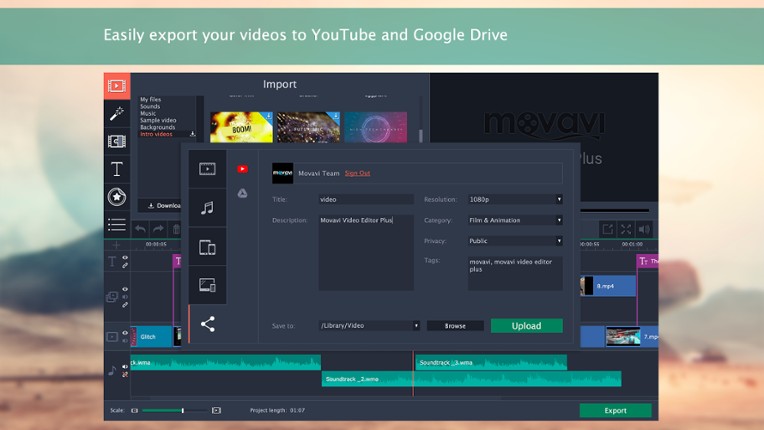
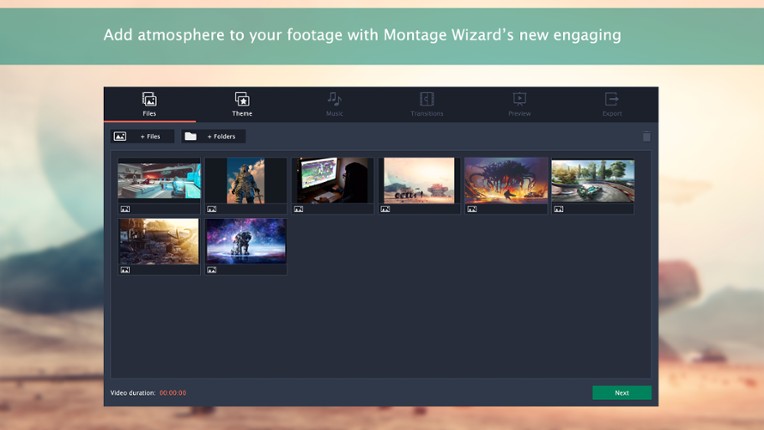
AI-POWERED NEW 2023 MOVAVI VIDEO EDITOR AVAILABLE! About the SoftwareThese exceptional tools will ensure your gameplay videos get everyone’s attention. Edit your footage on a handy multi-track timeline, apply special effects, tweak the audio, and save the results in any format or upload directly to YouTube. Highlights New timeline allows effortless control over up to 99 tracks Smoother 4K ed…

Games Like Movavi Video Editor 15 Plus - Video Editing Software
Looking for games like Movavi Video Editor 15 Plus - Video Editing Software? Here are top action recommendations, selected from player-similarity data — start with Movavi Video Editor Plus 2020 Steam CD Key, Movavi Video Suite 17 - Video Making Software - Video Editor, Video Converter, Screen Capture, and more or Movavi Video Editor Plus 2021 - Video Editing Software.












Reviews
- Movavi Video Editor 15 is very easy to use, making it a great choice for beginners and casual video editors.
- The software offers a decent range of features for basic editing tasks, allowing users to create videos without a steep learning curve.
- It provides good value for money, especially when purchased on sale, and is suitable for simple projects like YouTube videos and vlogs.
- The software lacks many advanced features found in professional editing programs like Adobe Premiere and Sony Vegas, making it unsuitable for more ambitious projects.
- Users frequently report crashes and performance issues, especially when working with longer videos or using certain features, which can be frustrating.
- The auto-save feature can be intrusive, causing the program to freeze temporarily, which disrupts the editing process.
music
8 mentions Positive Neutral NegativeUsers appreciate the music aspect of the program for its ease of use, allowing quick integration of background music and sound effects into video projects. However, some reviewers noted a limited selection of included music tracks and expressed a desire for a sound adjustor feature to balance audio levels automatically. Overall, the music library is deemed decent for basic editing needs, but may fall short for more advanced users seeking a wider variety of audio options.
“There are some stickers and animation abilities that come free too, along with a music library to use.”
“If you don't want to go tryhard on editing and just need to cut or trim videos for practical purposes (submitting bugs, submitting recordings for work, making a slideshow with music for family) then this is great.”
“I tried with 15 clips (15 min) and a default audio, and a music of my choice.”
“The only thing I'm missing in the Movavi program is a 'sound adjustor' to let the program adjust the audio to the same volume automatically, like if you have many music tracks and some of them are really loud.”
“It was decent until I started making heavy edits, adding extra sounds, music, lots of cutting, and additional videos/pictures, even some animation effects.”
“There are only a few additions to the included sounds, sample videos, music, and backgrounds, but they added a new option called 'intro videos.'”


Buy Movavi Video Editor 15 Plus - Video Editing Software


Play Times

Videos

Frequently Asked Questions
Movavi Video Editor 15 Plus - Video Editing Software is a action game. Common tags for Movavi Video Editor 15 Plus - Video Editing Software include beautiful, trading, educational, family friendly, stylized and others.
Movavi Video Editor 15 Plus - Video Editing Software is available on PC, Mac OS and Windows.
On average players spend around 2 hours playing Movavi Video Editor 15 Plus - Video Editing Software.
Movavi Video Editor 15 Plus - Video Editing Software was released on November 29, 2018.
Movavi Video Editor 15 Plus - Video Editing Software was developed by Movavi Software.
Movavi Video Editor 15 Plus - Video Editing Software has received positive reviews from players. Most players liked Movavi Video Editor 15 Plus - Video Editing Software for its optimization but disliked it for its music.
Movavi Video Editor 15 Plus - Video Editing Software is a single player game with multiplayer support.
Similar games include Movavi Video Editor Plus 2020 Steam CD Key, Movavi Video Suite 17 - Video Making Software - Video Editor, Video Converter, Screen Capture, and more, Movavi Video Editor Plus 2021 - Video Editing Software, Movavi Video Suite 2020 Steam Edition - - Video Making Software - Edit, Convert, Capture Screen, and more, Movavi Video Suite 18 - Video Making Software - Edit, Convert, Capture Screen, and more and others.