- November 20, 2017
- Eduard Kozadaev
PlayClaw :: Overlays, Game Recording & Streaming

Platforms


 Buy Now
About PlayClaw :: Overlays, Game Recording & Streaming

PlayClaw :: Overlays, Game Recording & Streaming is a single player action game. It was developed by Eduard Kozadaev and was released on November 20, 2017. It received mostly positive reviews from players.
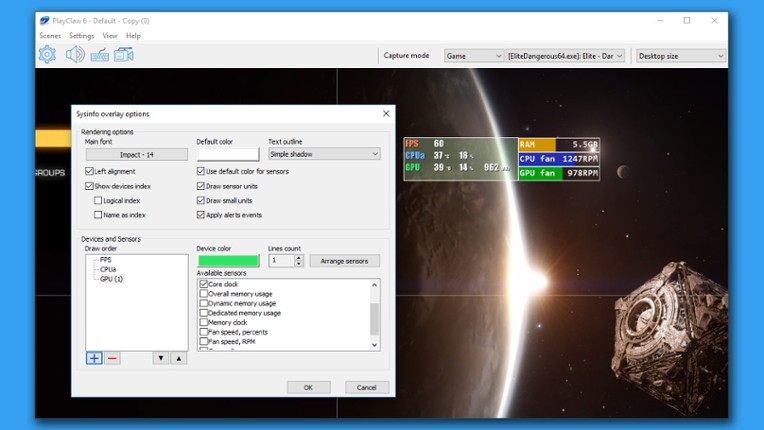
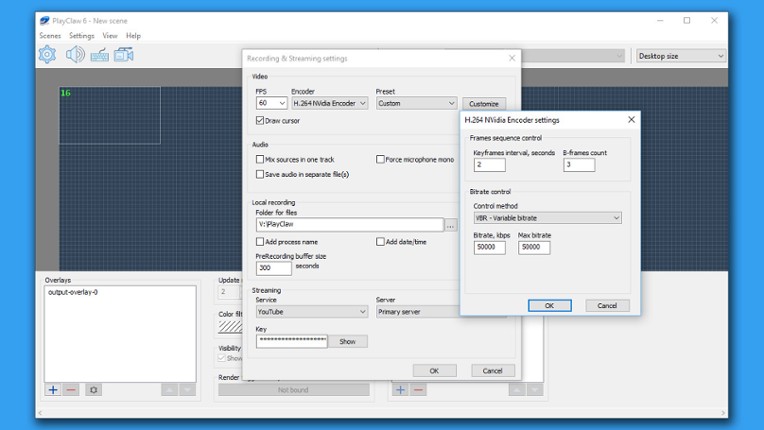
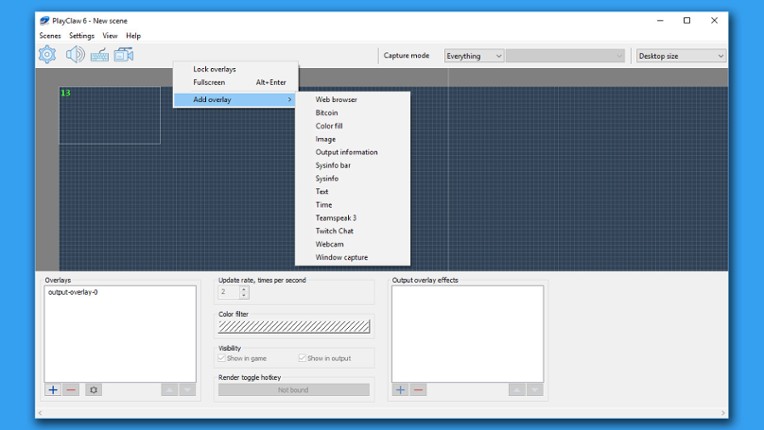
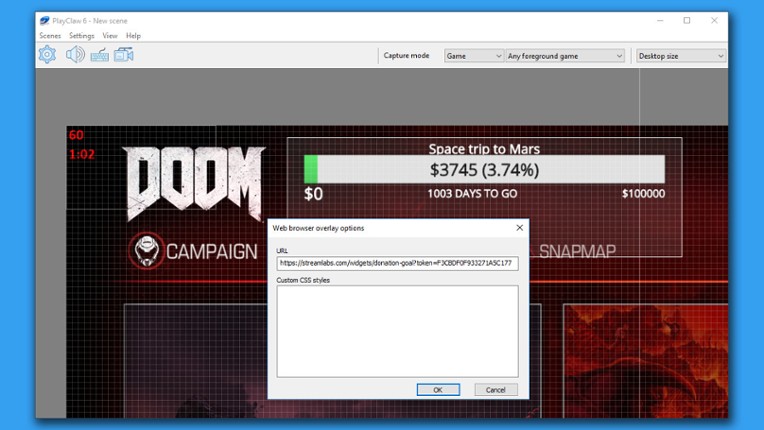
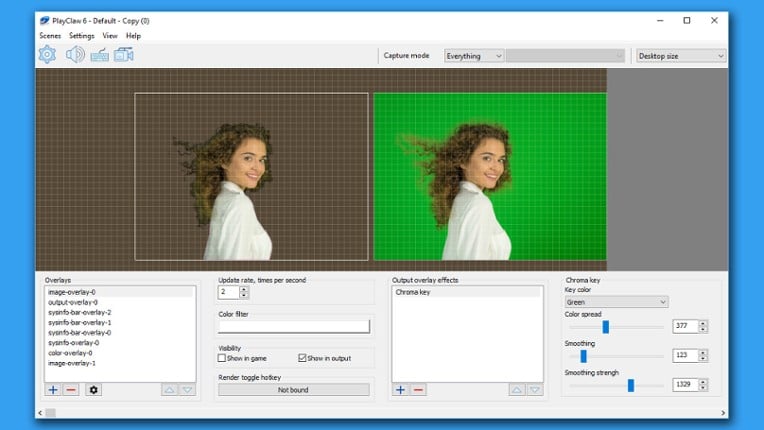
PlayClaw is game overlay application that can record and stream your gameplay! PlayClaw offers the ability to render helpful overlays in game and also in your recording if needed. PlayClaw has a set of various overlays such as System Information (CPU, GPU, RAM, HDD and other sensors), Teamspeak 3 and Discord overlays, Browser Overlay, Webcam Overlay, Timers and more. PlayClaw has been designed…

Games Like PlayClaw :: Overlays, Game Recording & Streaming
Looking for games like PlayClaw :: Overlays, Game Recording & Streaming? Here are top action recommendations, selected from player-similarity data — start with Action! - Gameplay Recording and Streaming, D3DGear - Game Recording and Streaming Software or Gecata by Movavi 5 - Game Recording Software.












Reviews
- PlayClaw 6 offers a high level of customization for overlays and recording, making it a versatile tool for both casual and professional users.
- The software has minimal impact on system performance, allowing for smooth gameplay while recording.
- The developer provides excellent support and is responsive to user feedback, often fixing issues quickly.

- Users frequently experience issues with audio cutting out after long recordings, which remains unresolved.
- The software can be difficult to use for streaming, with some users reporting crashes and compatibility issues with certain games.
- There are concerns about the software's performance compared to alternatives like OBS, particularly regarding frame rate drops and limited audio settings.
optimization
12 mentions Positive Neutral NegativeThe optimization of the software is criticized for its high performance footprint, particularly when using PlayClaw 6, which results in significant frame drops and severe frametime spikes, negatively impacting gameplay and video editing. In contrast, OBS Studio maintains a stable performance, making it a more reliable choice for users prioritizing quality and efficiency. Overall, the performance impact of the software is deemed substantial, making it hard to recommend over alternatives like OBS.
“Impact on performance is minimal, one of the lowest I've seen.”
“Arbitrary overlays with webpages, windows from other displays (or the same display if your game is borderless), performance counters, recording status, etc. Recording status is especially useful, no need to alt-tab and verify it's actually recording.”
“The performance footprint is much, much higher. KF2 easily maintains 120 fps with OBS Studio while recording at 120 fps, but PlayClaw 6 introduces a noticeable performance hit. The 99th percentile fps dropped to 110-115, with severe frametime spikes (6 whole frames, as reported by PlayClaw 6 itself, that's a 50 millisecond hang - very bad even if you're targeting 60 fps).”
“This means very poor performance in video editing software, unless you want to reencode the entire recording (which I don't).”
“With all the aforementioned issues, it's very hard to recommend this over OBS, unless you value convenience over quality and performance, and don't have a second display.”


Buy PlayClaw :: Overlays, Game Recording & Streaming


Videos

Frequently Asked Questions
PlayClaw :: Overlays, Game Recording & Streaming is a action game. Common tags for PlayClaw :: Overlays, Game Recording & Streaming include audio production.
PlayClaw :: Overlays, Game Recording & Streaming is available on PC and Windows.
PlayClaw :: Overlays, Game Recording & Streaming was released on November 20, 2017.
PlayClaw :: Overlays, Game Recording & Streaming was developed by Eduard Kozadaev.
PlayClaw :: Overlays, Game Recording & Streaming has received mostly positive reviews from players. Most players disliked PlayClaw :: Overlays, Game Recording & Streaming for its optimization.
PlayClaw :: Overlays, Game Recording & Streaming is a single player game.
Similar games include Action! - Gameplay Recording and Streaming, D3DGear - Game Recording and Streaming Software, Gecata by Movavi 5 - Game Recording Software, FPS Monitor – hardware in-game & desktop overlays, OBS Studio and others.