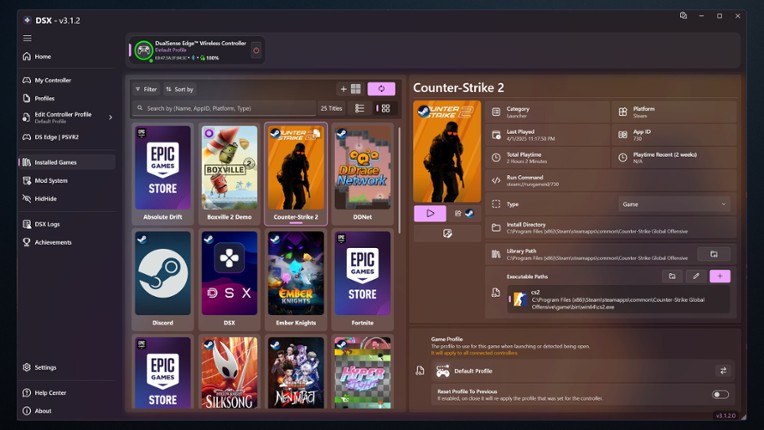
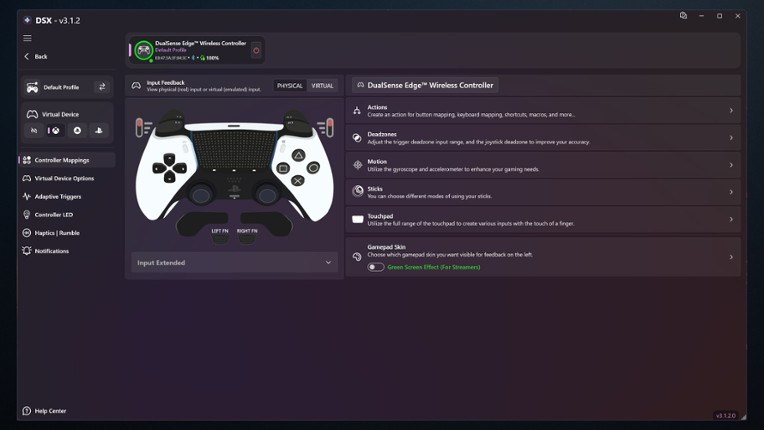
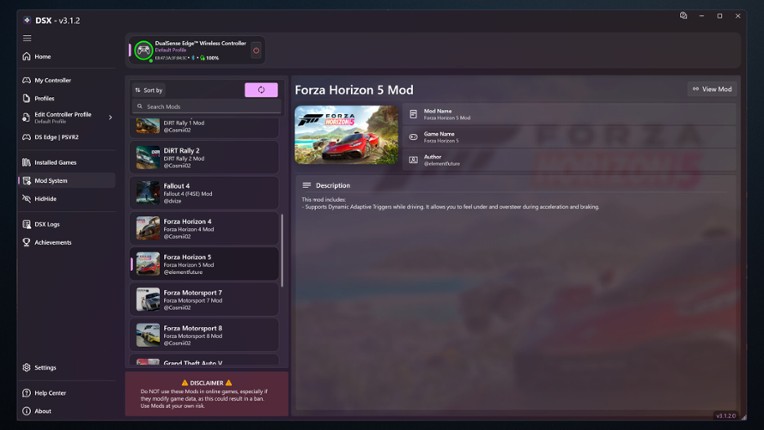
DSX Game Cover

About

DSX is a single player action game. It was developed by Paliverse and was released on June 24, 2022. It received mostly positive reviews from players.

"DSX is a single-player shooter game that takes around 206 hours to complete, but it is currently riddled with bugs that can hinder gameplay. However, if you're a PS5 owner looking to use your DualSense controller on PC, DSX is a software that allows for custom button profiles, custom lighting scenes, and input testing, providing an enhanced gaming experience."

Play Modes
Skip User Reviews

65%
Audience ScoreBased on 2,377 reviews
humor6 positive mentions
stability77 negative mentions

  • The software allows for full customization of the DualSense controller, including adaptive triggers and haptic feedback, enhancing the gaming experience.
  • It works seamlessly with various games, providing features that are not available through native support, making it essential for DualSense users on PC.
  • The user interface is clean and modern, making it easy to navigate and set up profiles for different games.
  • The app is often slow to start and can freeze or crash, leading to a frustrating user experience.
  • Many features that were previously included are now locked behind a paywall as DLC, which has upset many users who feel they are being charged for updates.
  • The requirement for an internet connection to verify ownership is seen as unnecessary and has caused issues for users without consistent internet access.
  • stability
    78 mentions Positive Neutral Negative

    The stability of the software has been widely criticized, with users reporting frequent bugs, crashes, and performance issues. Many have experienced significant troubleshooting challenges, particularly related to controller connectivity and software responsiveness, leading to frustration and dissatisfaction. Overall, the application is described as a "buggy mess," with many users recommending alternatives due to its unreliability.

    • “A truly polished, bug-free program is a hallmark of excellence.”
    • “The game runs smoothly without any crashes or glitches, providing a seamless experience.”
    • “I appreciate how stable the game is; I can play for hours without any interruptions.”
    • “I spent hours trying all sorts of troubleshooting steps I found online, even tried DS4Windows, but it doesn't fix the vibration problem in games either (although running a vibration test in DS4W does vibrate my controller, strange).”
    • “The app has become very buggy; it freezes for a solid second almost after any interaction.”
    • “What was once a good app turned into a slow, buggy mess which hangs up all the time and takes forever to start.”
  • optimization
    34 mentions Positive Neutral Negative

    The optimization of the software has received significant criticism, with users reporting frequent performance issues such as lag, stuttering, and high resource consumption. While wired connections tend to work better, Bluetooth functionality is often inconsistent, leading to frustration for those expecting seamless operation. Many users suggest that the software requires a serious overhaul to improve its performance and stability, with some recommending free alternatives like DS4Windows for a more reliable experience.

    • “Performance and compatibility: the controller works seamlessly with dsx, whether connected via USB or Bluetooth.”
    • “Looking forward to the upcoming new version and wish the app to inherit stability as well as solid performance.”
    • “Edit: the dev optimized the program a bit; as of typing, it's taking up 1% CPU and 213MB of RAM - about as much as Tidal does, but a couple of megs more than Spotify; it's a worthy tradeoff.”
    • “For casual users or those seeking a trouble-free setup, the occasional performance hiccups and missing Bluetooth support may be dealbreakers.”
    • “The fact that this cost money and it's not even optimized properly is criminal behavior.”
    • “The app itself is pretty good but it is very poorly optimized with constant freezing no matter what, which makes it borderline unusable.”
  • monetization
    17 mentions Positive Neutral Negative

    The monetization strategy of the application has drawn significant criticism, with users labeling it a "cash grab" due to the introduction of microtransactions for features that were previously included in the initial purchase. Many reviews highlight issues with ads, bugs, and a confusing user experience, leading to frustration over the perceived exploitation of customers. While some users acknowledge the software's potential, the overall sentiment is negative regarding its monetization practices.

    • “No matter what the reviews say, especially when it comes to the monetization of the v3 beta: this is your best option if you have decided to use a DualSense gamepad on PC.”
    • “Now, after a couple of updates, the DualSense profile is not one of the featured options; you need to pay again to gain access to the desired profile. It's an absolute cash grab.”
    • “Never thought it could be possible to add microtransactions to such a simple application, but here we are.”
    • “I used this software when it was open-source, but now it's just a massive cash grab!”
  • humor
    7 mentions Positive Neutral Negative

    The humor in the reviews stems from the absurdity and frustration of the software's quirks, such as its refusal to boot without correct date and time settings and its tendency to misinterpret controller inputs, leading to comical gameplay mishaps. Users also find irony in the unnecessary complexity of using the program, especially when similar features are available in other games without it. Overall, the humor is derived from the ridiculousness of the situation rather than intentional comedic elements.

    • “Being able to do funny stuff with the sticks and triggers is easily worth the 8 bucks.”
    • “Software works for the most part, but here's a real funny thing: if your date and time aren't set up automatically in Windows for any reason, the software complains at you and refuses to boot.”
    • “But the funny thing is, you can already enjoy adaptive triggers over Bluetooth in Ratchet and Clank without using any software.”
    • “That's not even funny, you know.”
    • “The humor falls flat and feels forced.”
    • “I expected more laughs, but the jokes just missed the mark.”
  • gameplay
    7 mentions Positive Neutral Negative

    Gameplay experiences vary significantly, with some users noting that while cutscenes may falter, the overall gameplay can be enhanced through applications like Dualsensex, which emulates different controllers and improves compatibility. However, issues such as instability and false inputs in specific games like Rocket League can detract from the experience. Overall, the investment in such tools is often seen as worthwhile for enhancing gameplay, particularly in titles lacking native controller support.

    • “Developers are working hard to create vibration for different mechanics, but with this program, you get an even more enjoyable result in any game!”
    • “Whether you’re streaming gameplay, conducting interviews, or showcasing creative projects, the options available enable you to create a polished and professional look.”
    • “Dualsensex is an application that can emulate different controllers and has a variety of languages and continuous updates to improve the experience and gameplay of each gamer.”
    • “No ayuda en nada este programa, es más, empeora el gameplay de cualquier juego.”
    • “But when I play Rocket League, it's often quite unstable, where false inputs will be quite devastating to my gameplay.”
    • “Not too good during cutscenes, but gets the job done during gameplay (depending on the game).”
  • music
    5 mentions Positive Neutral Negative

    Users appreciate the music experience for its innovative haptic feedback, allowing them to physically feel the music through their controllers, enhancing immersion. However, some find the audio haptics excessive and prefer to disable them to avoid overwhelming vibrations from game sounds. Overall, the ability to customize vibration settings adds to the enjoyment of the music experience.

    • “Because you can feel the music in your hands, and this alone is great!”
    • “Also, audio haptics are not that cool overall and I turned them off, because game music and other sounds make haptics 'vibrate too much'.”
    • “If you want to feel your music like a big speaker, it works similarly to that but better.”
    • “Also, you can set custom vibration settings, like having audio feedback when listening to music.”
  • graphics
    5 mentions Positive Neutral Negative

    Users report significant performance and software issues, including crashes and graphical problems, which hinder the optimal use of graphics cards. Additionally, the aesthetic design of the software has received criticism for being unappealing, despite some praise for its immersive features and interface.

    • “This app really lets you utilize all the immersive features of the PS5 controller; also, an added bonus is the aesthetic interface.”
    • “The software is aesthetically disgusting; I mean, who uses a border-radius of 12px with a gradient background?”
    • “The downside is that it disables my graphics card from switching to NVIDIA only while it's in use, which means those games don't get the best graphics possible on my machine.”
    • “Performance issues like crashes and freezing really detract from the overall graphical experience.”
  • grinding
    4 mentions Positive Neutral Negative

    Users report that grinding issues in the game often lead to frustrating experiences, including random drops and connection problems with controllers, as well as excessive memory and CPU usage that can freeze their systems. While some find the gameplay generally enjoyable, these technical difficulties significantly detract from the overall experience, especially after recent updates.

    • “Becomes more tedious garbage with every update.”
    • “I’ve had multiple times where it generated absurd memory and CPU usage, grinding my PC to a halt and resisting any attempts to force quit (it is the only thing I've seen tank multiple task manager end tasks), meaning I needed to hard reboot the thing.”
    • “Generally pretty good, but I've been having a lot of random drops and connection issues over the last two weeks. The controller will work for a while, then just decide that it's had enough and drop out. Sometimes it will come back and rapidly drop out a number of times, and my controller makes this awful grinding noise like it's trying to make the triggers do something they shouldn't, which is worrying.”
  • story
    3 mentions Positive Neutral Negative

    The reviews indicate frustration with the story aspect, highlighting issues with missing drivers and functionality, particularly for users of specific devices like the DS5 and Quest 2. There is a desire for a plot twist or improvement from Microsoft to enhance compatibility and user experience. Overall, the narrative surrounding the story is overshadowed by technical difficulties and unmet expectations.

Skip Game Offers

Buy DSX

199h Median play time
192h Average play time
178-206h Spent by most gamers
*Based on 2 analyzed playthroughs
Skip Videos

Videos

Skip Games Like DSX

Games Like DSX

Borderless Gaming Image
Rocksmith+ Image
EVGA Precision X1 ImageEVGA Precision X1 ImageEVGA Precision X1 Image
Driver Booster for Steam Image
DisplayFusion Image
Skip FAQs

Frequently Asked Questions

DSX is a action game.

DSX is available on PC and Windows.

On average players spend around 192 hours playing DSX.

DSX was released on June 24, 2022.

DSX was developed by Paliverse.

DSX has received mostly positive reviews from players. Most players liked this game for its humor but disliked it for its stability.

DSX is a single player game.

Similar games include Borderless Gaming, Rocksmith+, EVGA Precision X1, Driver Booster for Steam, DisplayFusion and others.